
TL;DR

Get travel and outdoor gear delivered free with Prime
- Fast, free delivery on millions of items
- Prime Video, Amazon Music and more included
- Member-only deals all year
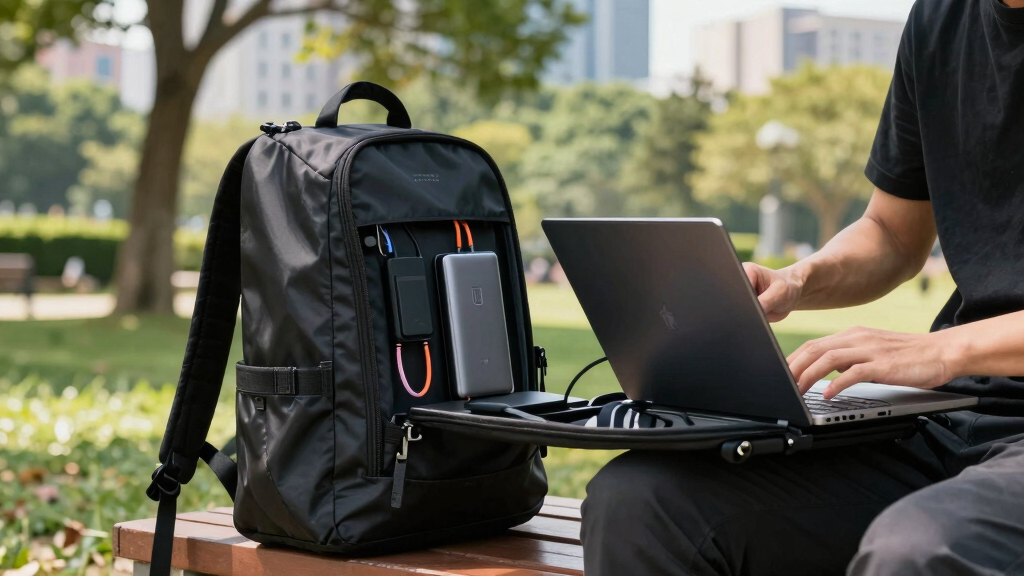
You can set up a functional mobile office in a backpack by choosing lightweight devices, reliable internet options, and smart organization. Recent tech advances make it easier than ever to work remotely from anywhere, anytime.
Imagine slipping your entire workspace into a backpack. No bulky equipment, no tangled cords — just a sleek setup ready for any coffee shop, airport lounge, or park bench. That’s the promise of a mobile office that fits in your pack. It’s about freedom, flexibility, and working smarter, not harder.
Whether you’re a digital nomad, remote worker, or frequent traveler, a well-packed backpack can keep you productive without lugging around a mini desktop. In this guide, you’ll learn how to pick the right gear, stay connected, and organize everything so your mobile office becomes your best travel companion.
Choose ultralight, versatile devices like ultrabooks or tablets for easy portability.
Secure reliable internet with portable hotspots or tethering, and have backup options ready.
Carry a high-capacity power bank and solar charger for extended work sessions away from outlets.
Organize gear with pouches and cloud storage to save time and prevent clutter.
Prioritize security with encryption, VPNs, and physical safeguards to protect your data.
Choose the Lightest, Most Versatile Devices
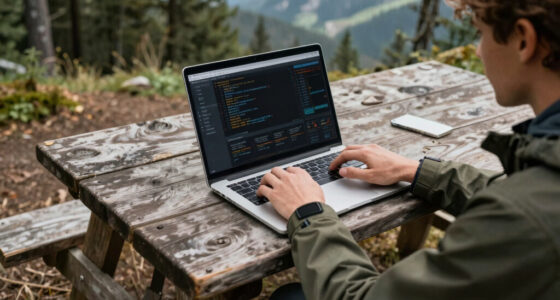
Your device is the heart of your mobile office. Focus on ultralight laptops, tablets, or 2-in-1s that weigh less than 3 pounds. The reason is simple: every ounce saved reduces fatigue and increases mobility, making it easier to carry your gear for hours or across multiple locations. But lightweight devices often involve tradeoffs in performance or storage; choosing a device with a balanced mix of portability and power ensures you won’t sacrifice productivity for convenience.
For example, a 13-inch ultrabook with a 10-hour battery life can handle emails, video calls, and document editing without weighing you down. Devices like the MacBook Air or Microsoft Surface Laptop Go are popular because they combine portability with enough processing power for most remote work tasks. A compact tablet paired with a foldable keyboard can serve as a secondary device for note-taking or light editing, saving space in your pack. The key is understanding your workload: if you need heavy processing, a slightly heavier but more capable device might be worth the extra weight.
Pro tip: Opt for devices with solid-state drives (SSD). They’re lighter because they don’t have moving parts, offer faster performance, and are more durable — all crucial qualities for travel. Balancing weight, performance, and durability helps ensure your device supports your work without becoming a burden.
ultralight ultrabook for remote work
As an affiliate, we earn on qualifying purchases.
As an affiliate, we earn on qualifying purchases.
Master Reliable Connectivity On the Move
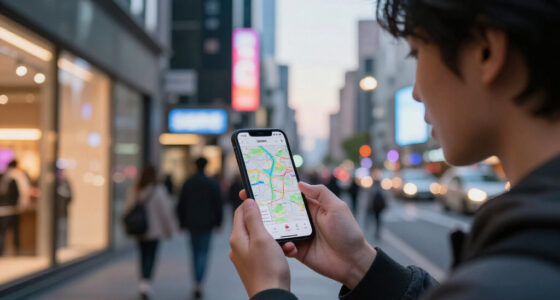
Internet is your lifeline in a mobile office. Without a dependable connection, your productivity can grind to a halt, especially when working with cloud-based applications or attending video calls. A portable Wi-Fi hotspot or a 4G/5G modem ensures you stay connected regardless of your location. The advantage of these devices is that they create a dedicated network, reducing reliance on potentially insecure public Wi-Fi, and often offer better speeds and stability.
For example, a 5G-capable hotspot can deliver fiber-like speeds even in areas where traditional networks are weak, enabling seamless streaming, file transfers, and video conferencing. Tethering from your smartphone is a quick fix; however, it can drain your phone’s battery and consume significant data, making dedicated hotspots a smarter choice for extended work sessions.
Having backup options like a second SIM card or a secondary device with hotspot capability is critical. This redundancy ensures that if one connection fails—say, due to network congestion or technical issues—you can quickly switch over and keep working. The implication is that reliable connectivity isn’t just about convenience; it’s a safeguard against productivity loss, especially when working under tight deadlines or in remote locations.
As an affiliate, we earn on qualifying purchases.
Power Up with Portable Chargers and Solar Panels
Power management is critical because losing device power can mean losing your entire day’s work. A compact power bank with at least 20,000mAh capacity can provide multiple charges for your devices, ensuring you’re never caught without juice. For instance, it can recharge a 13-inch ultrabook twice or keep your smartphone alive during long travel days. This level of capacity balances portability with functionality, so you don’t have to carry bulky chargers.
In off-grid scenarios, a foldable solar charger can be a game-changer. It allows you to harness sunlight to replenish your power supply while working outdoors — whether in a park, at a campsite, or in a remote location. The tradeoff here is that solar chargers depend on weather conditions and sunlight availability, so they’re best as supplementary power sources rather than primary solutions.
Prioritize fast-charging power banks that support Power Delivery (PD). They can recharge your devices quickly, minimizing downtime and keeping your workflow uninterrupted. Recognizing the importance of reliable power sources helps you plan for extended work sessions, reducing the anxiety of running out of battery in critical moments.
high capacity power bank for travel
As an affiliate, we earn on qualifying purchases.
As an affiliate, we earn on qualifying purchases.
Organize Your Gear for Fast Access and Efficiency
Getting your gear right turns your backpack into a productivity hub. Use packing cubes or compartmentalized pouches for cables, chargers, and accessories. This organization saves time by preventing you from rummaging through clutter when you need a specific item quickly. For example, keeping all your charging cables in one pouch, your headphones in another, and your documents in a dedicated folder helps streamline your workflow.
Digital organization is equally important. Use cloud storage like Dropbox or Google Drive to access your files from anywhere, but also carry a portable SSD for offline work. This redundancy ensures you can work seamlessly whether connected or offline. When you arrive at a new location, you want to grab your gear and start working immediately, not spend precious minutes searching for cables or files. Organized gear reduces stress and increases efficiency, especially when moving between different environments.
Tip: Label your pouches and keep frequently used items at the top of your pack for quick access. Consistent organization habits improve your responsiveness and help maintain a professional appearance, even when working in unpredictable settings.
compact foldable Bluetooth keyboard
As an affiliate, we earn on qualifying purchases.
As an affiliate, we earn on qualifying purchases.
Essential Accessories for Comfort and Privacy
Small accessories can significantly enhance your comfort and security. Noise-canceling headphones block out ambient noise in noisy environments like airplanes or busy cafés, helping you focus on your tasks. A compact ergonomic mouse and foldable stand turn a makeshift table into a comfortable workspace, reducing strain during long hours of work.
Privacy filters for screens are vital when working in public spaces. They prevent shoulder surfers from viewing sensitive information, protecting your data from prying eyes. If you’re working from a noisy terminal or crowded café, these accessories help you maintain focus and safeguard confidential information, which is essential for professional security and peace of mind.
Choosing lightweight, durable gear ensures you don’t add unnecessary weight to your pack. Every ounce saved makes a difference, especially when you’re carrying your entire office on your back. These accessories might seem small, but they collectively make a big difference in your overall working experience.
Stay Secure and Safe While Working Anywhere
Security isn’t an afterthought — it’s a core part of working remotely. Use encrypted Wi-Fi connections, VPNs, and strong passwords to protect your data from cyber threats. For example, when working from a hotel lobby or shared Wi-Fi, a VPN encrypts your traffic, making it nearly impossible for hackers to intercept sensitive information. This is especially important when handling confidential client data or personal information.
Physical security measures are equally important. Keep your devices close, use theft-resistant backpacks, and consider portable safes or lockable pouches for sensitive documents. These precautions reduce the risk of theft or loss, which can be catastrophic when working remotely and carrying valuable equipment.
Backups are your safety net. Always back up your data before traveling, and enable remote wipe features on your devices. In case of loss or theft, these steps ensure your data remains secure and can be erased if necessary, preventing unauthorized access. Recognizing the importance of both digital and physical security helps you work confidently, no matter where you are, knowing your data and gear are protected.
Frequently Asked Questions
What are the must-have items for a mobile office in a backpack?
Focus on a lightweight laptop or tablet, portable Wi-Fi hotspot, power bank, noise-canceling headphones, and organized cables. These essentials keep you connected, powered, and productive wherever you go.
How do I ensure a stable internet connection while on the move?
Use a dedicated portable Wi-Fi hotspot or tether your phone’s data. For added reliability, carry a backup SIM card or second device. Check coverage maps before heading into remote areas to avoid surprises.
What lightweight devices are best for remote work?
Devices like the MacBook Air, Microsoft Surface Laptop Go, or an iPad with a keyboard cover offer a great balance of power and portability. They’re durable, light, and capable enough for most remote tasks.
How can I protect my data and devices when working remotely?
Use VPNs, strong passwords, and encryption. Keep backups on cloud storage and portable drives. When in public, enable privacy screens and avoid connecting to insecure Wi-Fi networks.
How do I extend battery life during long workdays away from power sources?
Use power-saving modes, dim your screen, and carry a high-capacity power bank. Limiting unnecessary background apps also conserves battery, ensuring your devices last through the day.
Conclusion
A mobile office in your backpack isn’t just a dream — it’s a smart, achievable way to work from anywhere. With clever gear choices and a bit of planning, you can turn any corner of the world into your workspace.
Remember: stay light, stay connected, and keep your gear organized. That way, the only thing you’ll carry is confidence. Ready to pack your new office and hit the road?
Fall Picks
fall essentials
As an affiliate, we earn on qualifying purchases.