
TL;DR
Open a free Amazon Business account
Business pricing, bulk buying and tax-exempt orders.
Create a free accountAs an affiliate, we earn on qualifying purchases.
Public USB charging ports can expose your device to hacking and malware through juice jacking. Using personal power banks, USB data blockers, or wall outlets offers safer charging options.
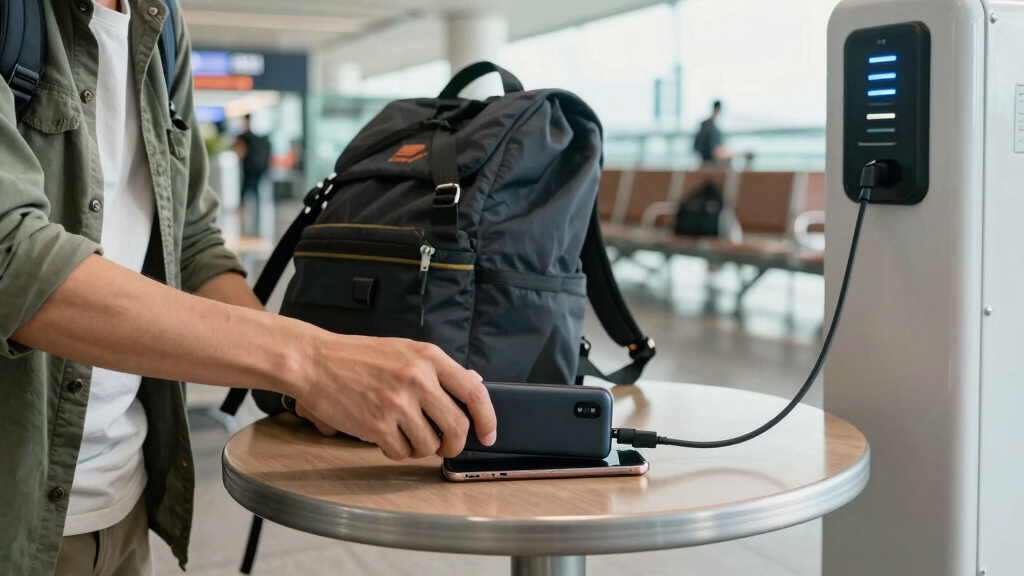
Imagine plugging your phone into a sleek, glowing kiosk in a busy airport lounge. The promise of quick power sounds tempting, but beneath that surface lurks a risk. Public USB ports are more than just a convenience—they can be a gateway for hackers to access your device. If you’re traveling frequently or rely on public chargers, understanding these dangers can save you from a nightmare scenario.
In this guide, you’ll learn why these ports are risky, what recent security innovations exist, and, most importantly, what you should do instead. Protect your data and peace of mind—because your device deserves it.
Public USB ports can be used to steal data or install malware—always use caution.
USB data blockers are inexpensive tools that prevent data transfer while charging, greatly reducing risk.
Carry your own power bank or use a trusted wall outlet whenever possible for safe charging.
Be vigilant about suspicious or tampered public charging stations—look for signs of physical tampering.
Keep your device’s security settings and software up-to-date to block potential threats.
What Makes Public USB Ports a Security Nightmare?
Public USB charging stations are a tempting trap. They are designed to transfer power and data through the same cable. Hackers exploit this by embedding malicious hardware or software that can siphon your personal data or install malware—an attack called “juice jacking.”
For example, in 2011, security researchers demonstrated how a modified charging kiosk could steal data from devices plugged into it. That’s not just theory—cybercriminals have used these techniques in real-world scenarios. The risk is especially high in busy airports, hotels, and cafes where access is easy.
Beyond data theft, these ports can be tampered with physically. Someone might swap out a genuine-looking station for a malicious one, or insert a tiny device inside a USB port. The result? Your phone or tablet becomes vulnerable every time you connect.
Understanding why this matters is crucial. When your device is compromised, sensitive information—like passwords, banking details, or personal photos—can be stolen without your immediate knowledge. This can lead to identity theft, financial loss, or long-term privacy breaches. The tradeoff is clear: convenience often comes at the expense of security, and rushing to charge without caution can expose you to significant risks.

Data Blocker, USB C Data Blocker Protect Against Juice Jacking, 6-pcs
- Set Includes Multiple Data Blockers: Affordable 6-piece USB C and A kit
- Protects Devices from Juice Jacking: Secure public charging with data blocker
- Supports Fast Charging: Charges up to 2.4A with high-speed tech
As an affiliate, we earn on qualifying purchases.
As an affiliate, we earn on qualifying purchases.
What’s New in Public Charging Security? Are There Safer Options?
Recent trends aim to combat juice jacking. Manufacturers and security experts have introduced tools like USB data blockers—small devices that go between your device and the port. They let power flow but block data lines, making data theft impossible. This means you can charge without exposing your device to potential malware or data theft, but it’s important to recognize that these tools are just one layer of defense.
Some venues now install monitored, tamper-proof charging stations. These stations are designed with security in mind—they are sealed, regularly inspected, and often monitored remotely to prevent tampering. Additionally, many security-conscious travelers prefer to carry their own chargers and cables, avoiding the risks associated with unknown public hardware. Smartphone OS updates also enhance security by warning users of suspicious connections or restricting data transfer until the device is unlocked or verified. These innovations collectively reduce the attack surface but do not eliminate all risks, so understanding their limitations is vital.
For example, a major airport recently replaced many public ports with secure, monitored charging lockers—safe zones where you can plug in your own charger without worry. Such measures highlight a shift towards prioritizing user security, but the key is awareness and proactive use of these safer options.

INIU 45W Fast Charging Portable Charger, Smaller 10000mAh Travel Power Bank
- Compact and Lightweight: 40% smaller and 36% lighter
- Fast 45W Charging: Charges devices to 76% in 30 minutes
- Universal Compatibility: Supports multiple devices with detachable cable
As an affiliate, we earn on qualifying purchases.
As an affiliate, we earn on qualifying purchases.
How Dangerous Is Juice Jacking Really? The Facts You Need
Juice jacking is a real threat, but it’s less common than many believe. According to security reports, only a handful of documented incidents exist, but the potential damage is significant. Criminals can access personal photos, contacts, even banking apps—if your device isn’t protected. The rarity of reported cases may lead some to underestimate the risk, but the implications of a successful attack can be devastating, leading to identity theft or financial fraud.
Using a standard wall outlet is safer than public USB ports because it isolates your device from the data transfer pathways that malware or hackers might exploit. USB data blockers cost less than a coffee but can effectively prevent data transfer, acting as a simple yet powerful safeguard. Power banks and portable chargers are your best defense, providing power without connecting to potentially compromised infrastructure. They allow you to maintain control over your charging environment, reducing exposure to cyber threats.
Research from cybersecurity experts shows that while the threat exists, simple precautions—like avoiding public ports and using trusted accessories—drastically reduce your risk. Recognizing that threat level helps you make informed decisions about when and how to charge securely.
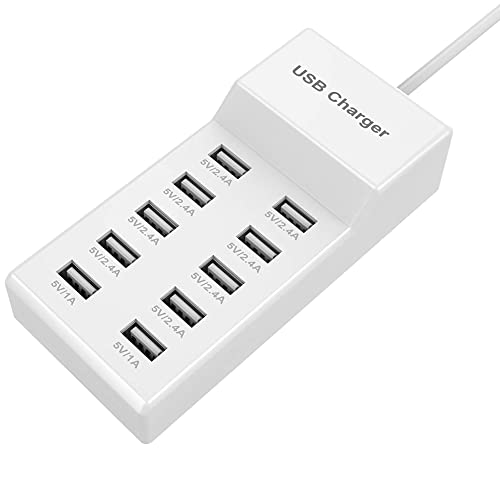
10-Port USB Wall Charger Station with Rapid Charging Auto Detect Technology Safety Guaranteed Family-Sized USB Ports for Multiple Devices Smart Phone Tablet Laptop Computer
- Fast Charging Technology: PowerIQ and VoltageBoost for rapid charging
- High-Speed Device Charging: Compatible with all 5V USB devices
- Safe and Durable Design: Fire-resistant ABS and pure copper construction
As an affiliate, we earn on qualifying purchases.
As an affiliate, we earn on qualifying purchases.
What Are Your Best Alternatives to Public USB Ports?
If you want to stay safe, ditch the public USB port. Here are solid options:
- Use a personal power bank. It’s portable, reliable, and keeps your device away from risky public infrastructure. This choice allows you to control your charging environment, minimizing exposure to malicious hardware or software.
- Charge via a wall outlet. Use your own charger and cable plugged into a trusted socket. This method is generally safer because it doesn’t involve sharing data pathways with unknown devices, reducing the chance of malware infection.
- Employ a USB data blocker. Plug it into the public port, then connect your device—power flows, data stays out. This simple device acts as a barrier, preventing any malicious data transfer while still allowing charging.
- Bring your own cable and charger. Avoid unknown, suspicious hardware. Using trusted accessories ensures that your device isn’t exposed to tampered hardware that could compromise security.
- Wireless charging. If your device supports it, use it in safe, private environments for convenience and security. This method eliminates physical connections altogether, removing many risks associated with public ports.
For example, a frequent traveler always carries a compact power bank and a USB data blocker. That way, even in a pinch, they stay protected without sacrificing convenience. Understanding these options and their implications helps you make smarter choices and stay secure on the go.
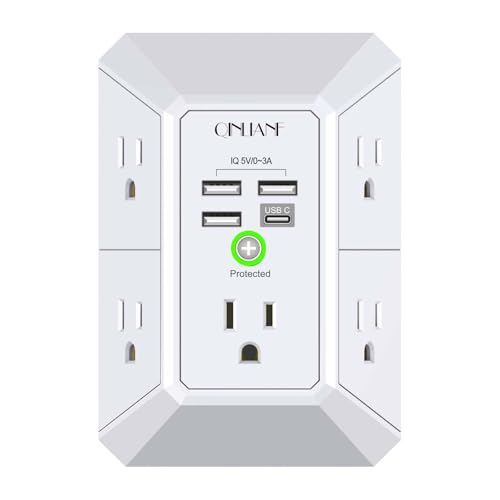
Wall Charger, Surge Protector, QINLIANF 5 Outlet Extender with 4 USB Ports
- Wall-Mounted Design: Securely fits onto duplex outlets
- Multiple Outlets: 5 AC outlets with wide spacing
- USB Charging Ports: 4 USB ports for versatile charging
As an affiliate, we earn on qualifying purchases.
As an affiliate, we earn on qualifying purchases.
Your Questions About Public Charging, Answered
Are public USB charging ports always unsafe? Not always, but they carry serious security risks. Using protective tools reduces those risks significantly. Being aware of the potential for tampering or malware helps you evaluate when it’s acceptable to use them, and when it’s better to avoid public ports altogether.
How do I spot a compromised station? Look for signs of tampering—loose parts, suspicious devices, or unusual wiring. When in doubt, avoid using unknown stations. Physical inspection and suspicion are your first line of defense against malicious hardware.
What tools best protect my device? USB data blockers, trusted power banks, and keeping your device’s software updated are essential. These measures collectively create a layered defense, reducing the chance of data theft or malware infection.
Is it safe to trust a power bank from an unknown source? Only if you trust the supplier. Otherwise, it’s safer to use your own trusted devices. Using unknown or unverified power banks risks introducing malware or tampered hardware into your device.
Can I disable data transfer on my phone? Yes, many smartphones prompt you when connecting to new devices, and some settings can restrict data sharing. Adjusting these settings adds an extra layer of security, especially when using unfamiliar charging sources.
What if my device gets compromised? Disconnect immediately, run security scans, update your OS, and seek professional help if needed. Acting swiftly minimizes damage and helps restore your device’s integrity.
Conclusion
When it comes to charging your device in public, don’t settle for risk. Opt for your own power bank, use a USB data blocker, or stick to wall outlets. Your data’s safety is worth a little extra planning and a small investment.
Next time you see a shiny charging station, remember: the convenience might come with a hidden price. Protect your device—and yourself—from unseen threats lurking in plain sight.
College move-in / dorm season Picks
dorm essentials
As an affiliate, we earn on qualifying purchases.