
TL;DR

Get travel and outdoor gear delivered free — and shop member deals
- Fast, free delivery on millions of items
- Access to Prime Big Deal Days deals on October 6–7
- Prime Video, Amazon Music and more included
Public Wi-Fi networks are often unsecured and risky. Using a VPN, enabling security features, and avoiding sensitive transactions can protect your data while traveling. Staying aware of recent tech advances boosts your safety.
Imagine sitting in a bustling airport lounge, sipping coffee, and scrolling through your emails. That free Wi-Fi feels like a blessing — until you realize hackers often target these networks to steal your personal information. Protecting yourself isn’t complicated, but it does require awareness and smart habits. In this guide, you’ll learn practical steps to stay secure on hotel and airport Wi-Fi, so you can focus on your trip — not on worrying about cyber threats.
Whether you’re a remote worker catching up on work or a vacationer checking social media, understanding the risks and how to mitigate them keeps your data safe. From using a VPN to verifying network authenticity, these tips will turn your public Wi-Fi into a safer space. Let’s dive into how you can stay protected wherever you connect.
Always use a VPN when connecting to hotel or airport Wi-Fi to encrypt your data.
Disable file sharing, Bluetooth, and AirDrop to prevent unauthorized access.
Switch to your mobile network for sensitive tasks like banking or work login.
Verify Wi-Fi networks with staff to avoid fake hotspots.
Keep your device’s software up-to-date to patch known security vulnerabilities.
Why Public Wi-Fi Is a Magnet for Hackers (And How to Spot the Risks)
Public Wi-Fi networks, like those in hotels and airports, are often open and unencrypted. That means any attacker with basic knowledge can potentially access the data you send and receive. For instance, if you log into a hotel’s Wi-Fi without additional protections, your login credentials or credit card details could be intercepted by someone lurking on the same network.
Fake networks, or ‘honeypots,’ are another common threat. These are maliciously set up by hackers to mimic legitimate networks, tricking users into connecting. Once connected, attackers can perform man-in-the-middle attacks, which involve secretly relaying and potentially altering the data exchanged between your device and the internet. Recognizing these risks is crucial because they highlight how vulnerable your information can be — especially if you’re unaware that your connection isn’t secure.
Understanding these vulnerabilities matters because the implications extend beyond just losing data. Sensitive information like passwords, financial details, or work documents can be stolen, leading to identity theft, financial fraud, or corporate breaches. The tradeoff is clear: convenience comes with significant security risks. The good news? You can mitigate these risks by adopting simple, informed habits that act as barriers against cybercriminals.
As an affiliate, we earn on qualifying purchases.
3 Simple Steps to Lock Down Your Connection Right Now
- Use a VPN: This is your best line of defense. A VPN encrypts all your internet traffic, making it unreadable to outsiders. For example, when you check your work email at the airport, a VPN prevents snoopers from intercepting sensitive info. This encryption is crucial because, without it, your data is sent in plain text that anyone on the same network can read, increasing your risk of data theft.
- Enable HTTPS and Disable Sharing: Always browse sites with HTTPS, which encrypts data between your device and the website, adding a layer of security. But encryption alone isn’t enough; turning off file sharing, AirDrop, and Bluetooth in your device settings prevents unauthorized access from other users on the network. This reduces the likelihood of malicious actors accessing your files or device over the Wi-Fi connection.
- Switch to Mobile Data for Sensitive Tasks: If you need to log into banking or work accounts, use your cellular connection instead of Wi-Fi. Mobile networks generally employ stronger encryption and are less susceptible to local hacking attempts. This tradeoff involves sacrificing a bit of convenience for significantly increased security, especially when handling sensitive information.
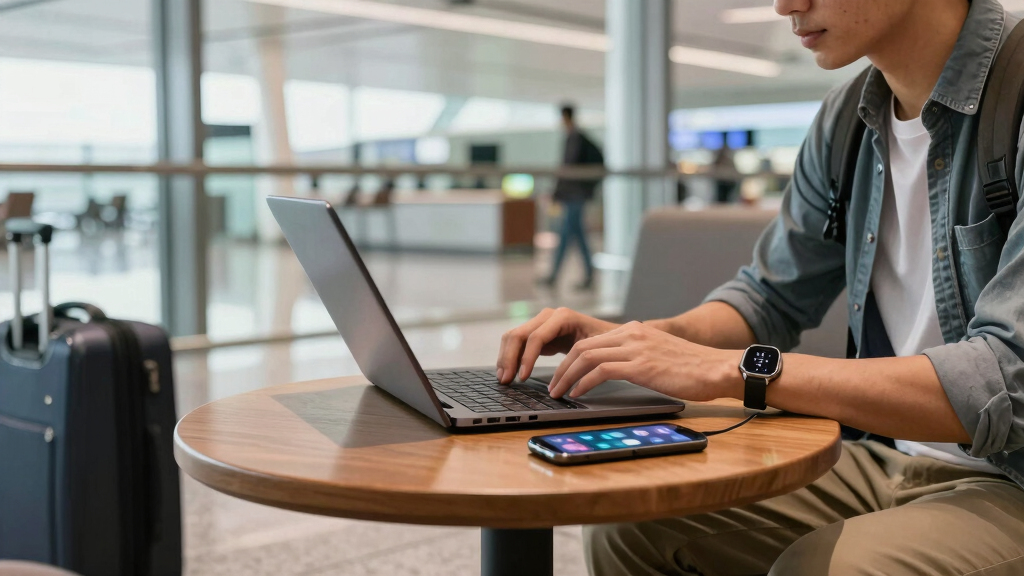
Imagine sitting at a busy airport terminal. You activate your VPN, disable sharing, and switch to your mobile network for banking. You’re essentially sealing off your digital self from potential threats—simple but powerful.
As an affiliate, we earn on qualifying purchases.
How to Choose a VPN That Keeps You Safe (Without Slowing You Down)
Not all VPNs are equal. You want one that’s fast, reliable, and respects your privacy. A VPN with robust encryption standards like AES-256 ensures your data is securely scrambled, making it extremely difficult for hackers to decipher. Additionally, a strict no-logs policy is vital because it guarantees your browsing activity isn’t stored or sold, preserving your privacy.
Reputable providers also have multiple server locations, which can improve your connection speed and help you bypass geo-restrictions. When selecting a VPN, consider the tradeoff between security and speed: a slower VPN can be frustrating, especially when you need quick access or streaming. The key is to find a balance—opt for a provider known for both strong security features and high-performance servers.
Testing the VPN with a free trial allows you to assess its speed and usability before committing. Reading reviews and verifying device compatibility ensures you choose a solution that fits your needs. Remember, investing in a reputable VPN isn’t just about convenience; it’s a critical layer of security, especially when your sensitive data is on the line during travel.
As an affiliate, we earn on qualifying purchases.
Frequently Asked Questions
Is it safe to do online banking on hotel Wi-Fi?
Not unless you use a trusted VPN and stick to HTTPS websites. Without encryption, your data can be vulnerable to interception. For maximum safety, switch to your mobile data when accessing sensitive accounts.What’s the best way to tell if a Wi-Fi network is fake?
Ask hotel or airport staff for the official network name. Avoid networks with suspicious or overly generic names, and verify the connection details before logging in. If it looks suspicious, don’t connect.Should I disable Wi-Fi when I’m not using it?
Yes. Turning off Wi-Fi when you don’t need it reduces exposure to potential threats. It’s an easy step that can prevent accidental connections to malicious hotspots.Are free VPNs safe for travel?
Most free VPNs have limitations and may log your activity or show ads. For real security and privacy, consider investing in a reputable paid VPN service, especially for sensitive activities.What should I do if I suspect my device has been hacked on public Wi-Fi?
Disconnect from the network immediately, run security scans, change your passwords, and monitor your accounts for unusual activity. Staying alert helps prevent further damage.As an affiliate, we earn on qualifying purchases.
Conclusion
Traveling doesn’t have to mean risking your digital security. Small habits like activating a VPN, verifying networks, and avoiding sensitive activities on public Wi-Fi make a big difference. Think of public Wi-Fi as a busy street—stay alert, stay protected, and you’ll enjoy your trip without digital drama.
Remember, your best defense is being proactive. With a few simple tools and habits, you can surf freely while keeping your personal info out of cybercriminals’ reach.
Halloween Picks
halloween
As an affiliate, we earn on qualifying purchases.